PocketRN is thrilled to announce our approval as a participant in the groundbreaking CMMI GUIDE program.
Learn More.png)
February 4, 2026
|
Evan Quartner


A PocketRN technician can now group together clinics as appropriate. If this is done, all nurses in that group receive the following benefits:
Creating clinic groups, when appropriate, can make operations for adding new nurses and clinics into our platform much more efficient and robust.
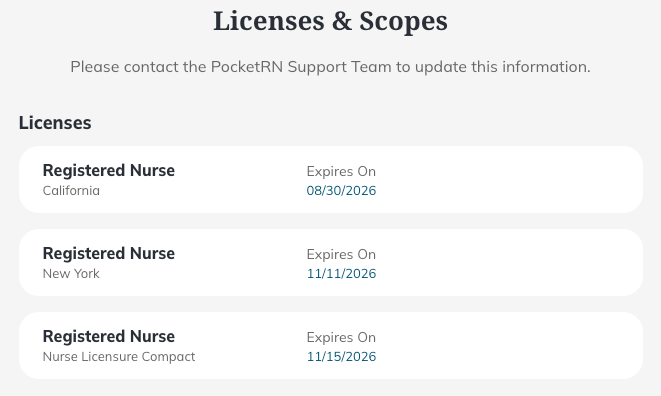
A nurse can now view the license information input for them into the PocketRN platform, including the license type, jurisdiction, and expiration date. The licensure is this list is used for matching nurses to patients within the correct jurisdiction.
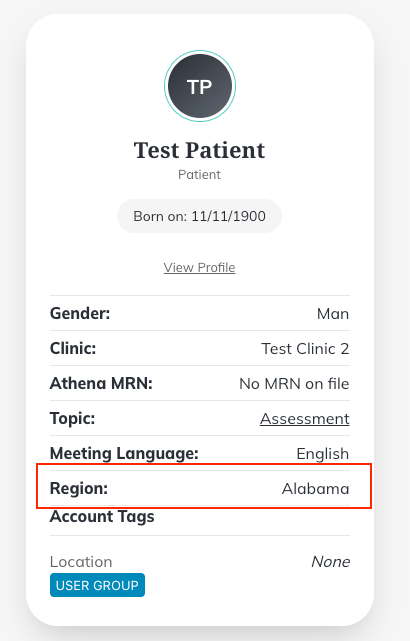
When viewing the patient information for each upcoming, current, or past meeting, a nurse can view the region selected for the meeting. The region selected for the meeting will be covered in the jurisdiction of the license information listed in their profile.
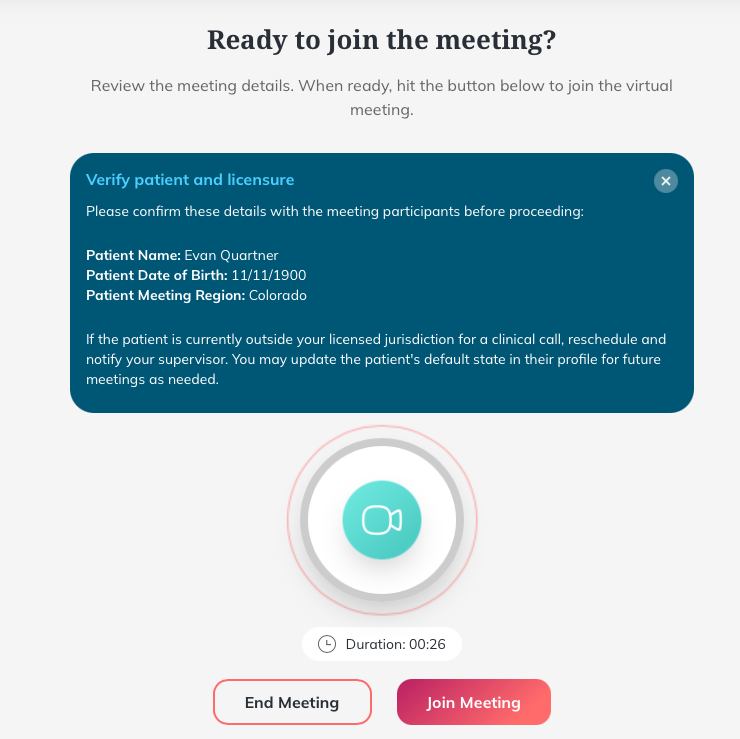
Once a meeting begins, a protocol is now listed at the top to verify the patient’s information and licensure at the start of a meeting.
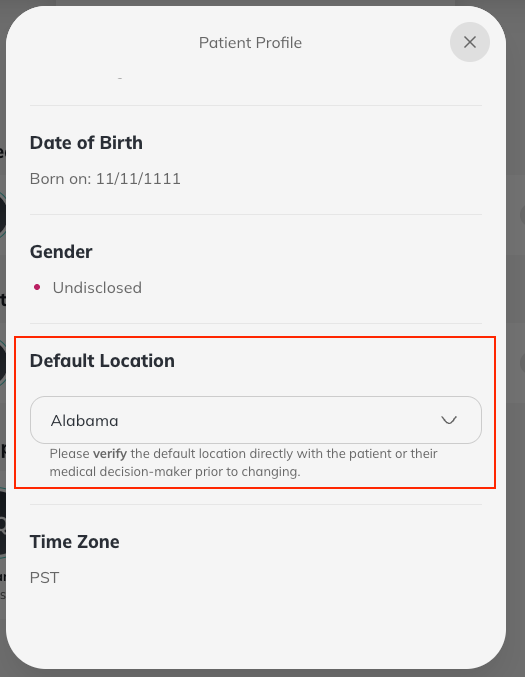
If the nurse finds out that a patient wishes to update their default meeting location, the nurse can do so in the patient’s profile. This can apply in case of patients moving between states for longer periods of time.
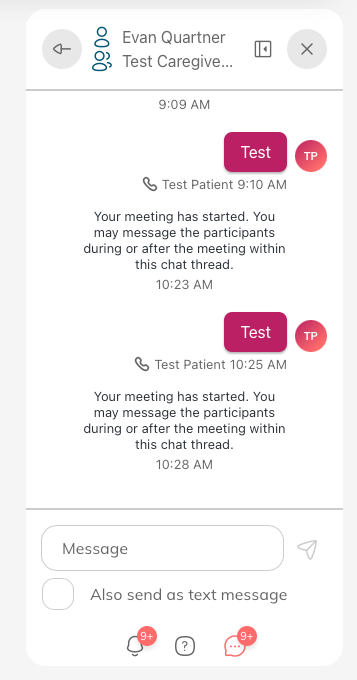
The messaging interface is now more clear and detailed. Nurses can view the account types of each participant from a message thread and access their profile information. Additionally, nurses choose to send messages without PHI as direct texts to individuals with phone numbers during a meeting.
Nurses can access links to Nevvon directly on the PocketRN platform. Nevvon provides caregivers with curated resources, training, and short videos/text for daily digest. Nurses can use the updated messaging interface to directly text this resource to caregivers during meetings.
.png)